This Simple Trick Fixes NotebookLM Infographics

Related videos

Nano Banana Finally Dethroned. GPT-Image 2.0 FULLY tested
Futurepedia
36.2k views

The Most Anticipated Gemini Feature is Here
Futurepedia
34.4k views

The 7 Levels of AI User (and how to level up)
Futurepedia
95.4k views

Top 7 AI Agent Tools That Actually Work
Futurepedia
67.4k views

Every New Google AI Update in One Video (NotebookLM, Gemini, and much more)
Futurepedia
74.5k views

You’re Not Behind (Yet): How to Build AI Agents in 2026 (no coding)
Futurepedia
188.1k views

These 8 AI Tools Will Save You 1000 Hours in 2026
Futurepedia
35.6k views

How to Use Google Gemini Better Than 99% of People
Futurepedia
152.6k views

How to Use NotebookLM Better than 99% of People
Futurepedia
169.0k views
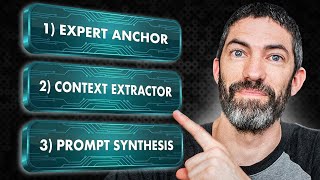
The Simple 3-Step System to Do Anything with AI
Futurepedia
27.6k views
Unlock all features
FREE: Get instant access to 10 AI summaries, chats, or transcripts per day.
Unlock all features
FREE: Get instant access to 10 AI summaries, chats, or transcripts per day.
Unlock all features
FREE: Get instant access to 10 AI summaries, chats, or transcripts per day.
Unlock all features
FREE: Get instant access to 10 AI summaries, chats, or transcripts per day.
Unlock all features
FREE: Get instant access to 10 AI summaries, chats, or transcripts per day.
Related videos
Nano Banana Finally Dethroned. GPT-Image 2.0 FULLY tested
Futurepedia
36.2k views
The Most Anticipated Gemini Feature is Here
Futurepedia
34.4k views
The 7 Levels of AI User (and how to level up)
Futurepedia
95.4k views
Top 7 AI Agent Tools That Actually Work
Futurepedia
67.4k views
Every New Google AI Update in One Video (NotebookLM, Gemini, and much more)
Futurepedia
74.5k views
You’re Not Behind (Yet): How to Build AI Agents in 2026 (no coding)
Futurepedia
188.1k views
These 8 AI Tools Will Save You 1000 Hours in 2026
Futurepedia
35.6k views
How to Use Google Gemini Better Than 99% of People
Futurepedia
152.6k views
How to Use NotebookLM Better than 99% of People
Futurepedia
169.0k views
The Simple 3-Step System to Do Anything with AI
Futurepedia
27.6k views
Top Comments (10)
Totally agree, NBLM is a lifesaver for keeping all those project sources organized in one spot without losing track. Using its answers as the raw material for ChatGPT to design the infographic is such a smart workflow! One quick tip if you ever run into a roadblock: if NBLM or ChatGPT struggles to read some of your source materials, like locked pdfs, messy screenshots, or grainy images. I usually run them through PDNob first. Its OCR handles the heavy lifting by turning those stubborn files into clean, editable text so you can feed them right into your workflow without missing a beat.
*Free guide to NotebookLM:* https://clickhubspot.com/r50y
Wow, that's a gamechanger. An excellent example of how different tools can complement each other with their respective strengths.
I came up with the same workflow. Realized I only need to tell "fix spelling errors".
I needed exactly this today for a major project I have been working on. Thank you!
Wow I'll try it. I was using canva only. Thanks ❤
Great! Just yesterday I made an infographic in LM and it was really beautiful but with lots of errors. So i spend a half an hour fixing it with Photoshop. Your way is much quicker)) Thanks!
It’s all about choosing the right tools! Great video
Thank you very much! Great assistance!
😮 This is AWESOME! Thank you so much!
Unlock the Data Inside
Turn Videos into Knowledge
- Get FREE 10/day: transcripts, summaries, chats
- Chat with videos, export text & PDF
- $1 free API credit for RAG, chatbots & research
Free forever plan • All features unlocked


Top Comments (10)
Totally agree, NBLM is a lifesaver for keeping all those project sources organized in one spot without losing track. Using its answers as the raw material for ChatGPT to design the infographic is such a smart workflow! One quick tip if you ever run into a roadblock: if NBLM or ChatGPT struggles to read some of your source materials, like locked pdfs, messy screenshots, or grainy images. I usually run them through PDNob first. Its OCR handles the heavy lifting by turning those stubborn files into clean, editable text so you can feed them right into your workflow without missing a beat.
*Free guide to NotebookLM:* https://clickhubspot.com/r50y
Wow, that's a gamechanger. An excellent example of how different tools can complement each other with their respective strengths.
I came up with the same workflow. Realized I only need to tell "fix spelling errors".
I needed exactly this today for a major project I have been working on. Thank you!
Wow I'll try it. I was using canva only. Thanks ❤
Great! Just yesterday I made an infographic in LM and it was really beautiful but with lots of errors. So i spend a half an hour fixing it with Photoshop. Your way is much quicker)) Thanks!
It’s all about choosing the right tools! Great video
Thank you very much! Great assistance!
😮 This is AWESOME! Thank you so much!